View Settings - Lines
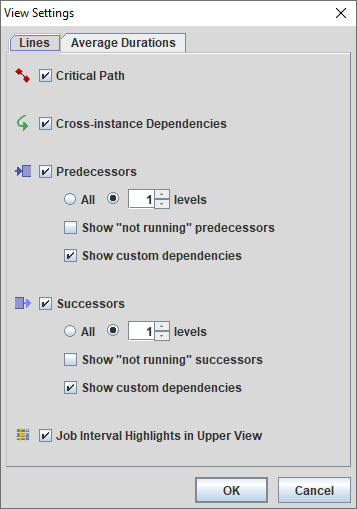
Screenshot of the View Settings dialog displaying the Lines Tab in an instance without CA7:
Screenshot of the View Settings dialog displaying the Lines Tab in an instance with CA7:
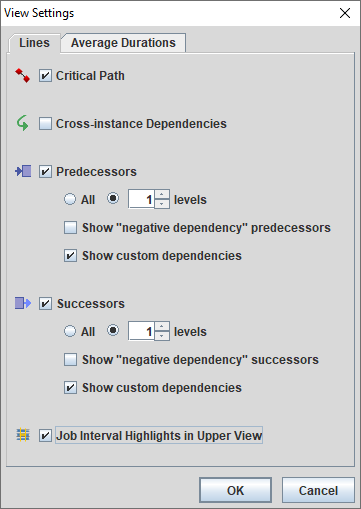
The following settings are found on the Lines Tab:
- Critical Path: Displayed in red, this line connects all of the jobs that are in (or are predicted to be in the Critical Path of all runs of all jobstreams.
- Cross-instance Dependencies (AutoSys Only): Displayed in green this line shows when a jobstream crosses from one AutoSys instance to a predecessor(s) in another AutoSys instance.
- Predecessors: Displayed in blue, you may choose how many upstream levels you want to show when clicking on any job in a jobstream.
All or Up to 10 Levels
Show not running predecessors (AutoSys Only)
Show negative dependency predecessors (CA7 Only)
Show custom dependency predecessors (CA7 Only)
- Successors: Displayed in light blue, you may choose how many downstream levels you want to view when clicking on any job in a jobstream.
All or Up to 10 Levels
Show not running successors (AutoSys Only)
Show negative dependency successors (CA7 Only)
Show custom dependency successors (CA7 Only)
- Job Interval Highlights in Upper View
Not Running Condition Predecessor/Successor Lines (AutoSys only):There is an option to show not running predecessors on the View Settings Lines tab dialog (same for successors). The option is available only if Show predecessors/successors is turned on. The not running predecessor lines are rendered in orange and successors are rendered in light-orange. Not running predecessors/successors can be accessed directly by choosing the Go to predecessor sub-menu.
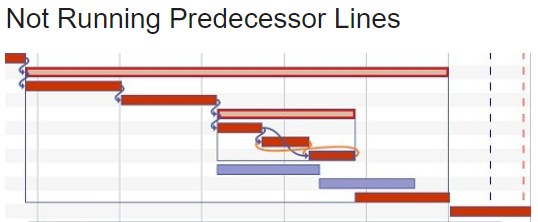
Negative Dependency Condition Predecessor/Successor Lines (CA7 only): There is an option to show negative dependency predecessors on the View Settings Lines tab dialog (same for successors). The option is available only if Show predecessors/successors is turned on. The negative dependency predecessor lines are rendered in orange and successors are rendered in light-orange.
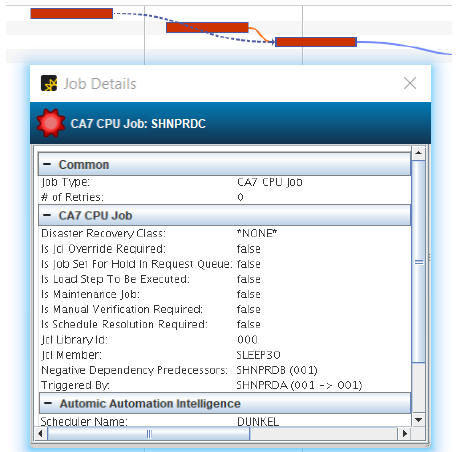
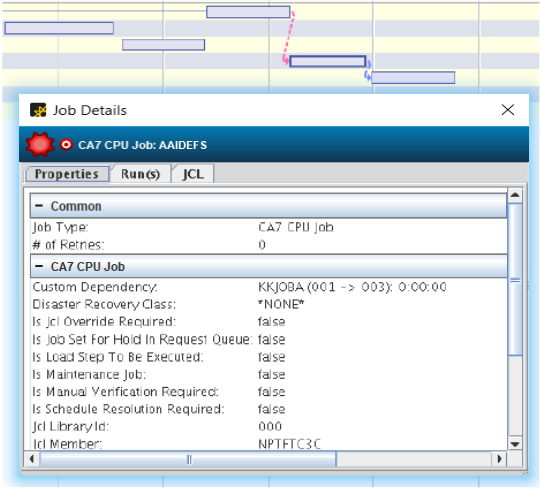
Custom Dependency Condition Predecessor/Successor Lines (CA7 only): You can create custom triggering relationships in . There is an option to show custom dependency predecessors on the View Settings Lines tab dialog. (same for successors). The option is available only if Show predecessors/successors is turned on. The custom dependency Predecessor lines are rendered in pink, and successors are rendered in light-purple.