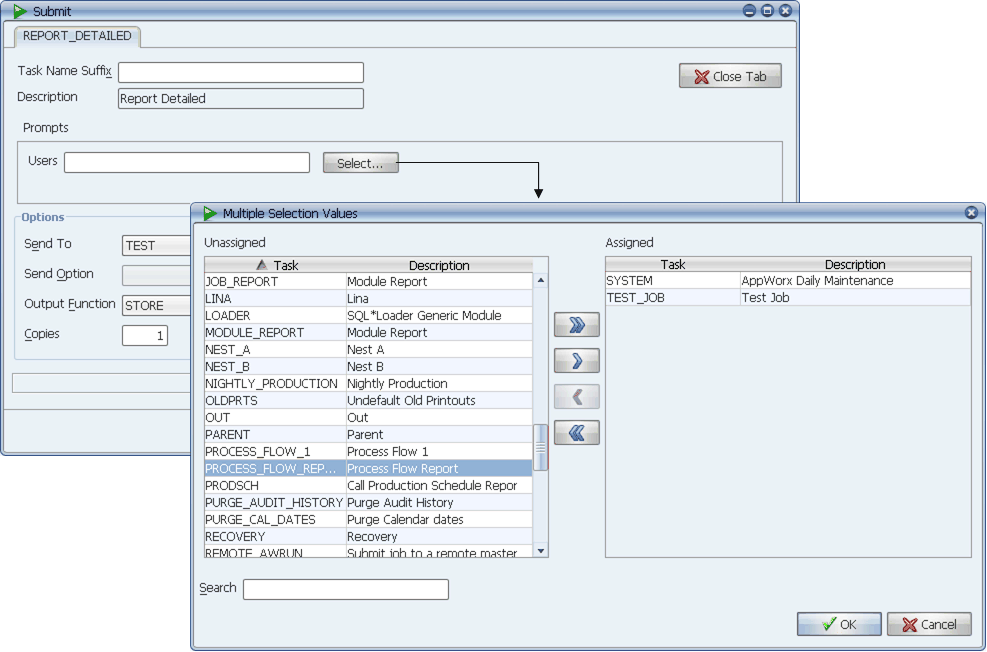
Select one or more values.
When you submit a job with a multi select prompt, Applications Manager writes a record in the so_multiselect database table using a unique reference number for each selected value. The reference number is passed to the script or application like any other prompt value. In order for a script or application to use the values, it must retrieve the records from the Applications Manager database.
When you submit a job with a multi select prompt, Applications Manager writes a record in the so_multiselect database table using a unique reference number for each selected value.
Select one or more values.
The reference number is passed to the script or application like any other prompt value. In order for a script or application to use the values, it must retrieve the records from the database. You can retrieve records using a run-time extension script, a program type script, or through the script or application called by the job.
Example
When the JOB_RUN_REPORT job shown above is requested, an end-user can select one or more jobs to see whether they have run within the last 24 hours. Once values are selected, Applications Manager assigns a reference number to them. The reference number and values are stored in the so_multiselect table. The reference number is also passed to the job's script.
The so_multiselect table fields are described below:
| Table field | Description |
|---|---|
|
so_ms_ref_no |
The ID number Applications Manager assigns to the multi select prompt. This number will be the same for each record generated by the prompt. It is displayed in the Default column on the Submit window once the values have been selected. |
|
so_ms_source |
This field simply stores an R to show that the job was requested. |
|
so_ms_value |
A value selected for the prompt. In the image above, SYSTEM and TEST_JOB are the selected values. |
|
so_ms_descr |
The description for each selected value. |
When the job executes, it runs the jobsrun.sql script shown below. The jobsrun.sql script accesses the so_multiselect table and returns the reference number and its values.
set verify off
title 'Modules run prior day'
spool &so_outfile
select so_module Module,so_status_name Status,
to_char(so_job_finished,'mm/dd/yyyy hh24:mi:ss') Finished
from so_multiselect b, so_job_history a
where so_job_finished between trunc(sysdate-1) and trunc(sysdate)
and a.so_module = b.so_ms_value
and b.so_ms_ref_no = &ms_list
/
spool off
When the job completes, you can view its output with the File Viewer as shown below.
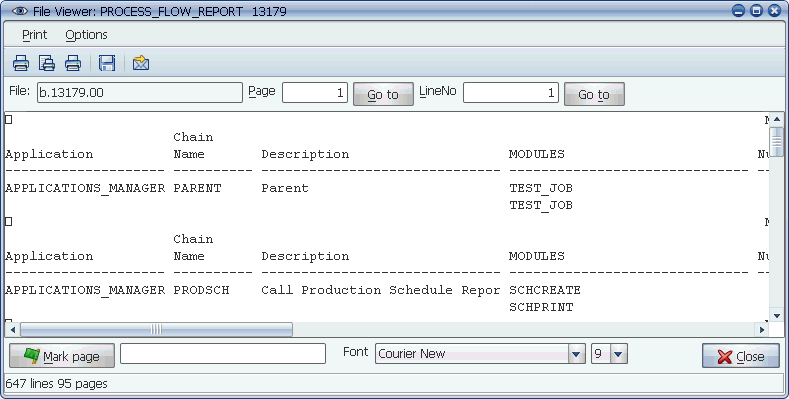
The output from the PROCESS_FLOW_REPORT job
Retrieving Multi Select Values for Shell Scripts
The example above is used for SQL jobs. To retrieve multi select values for shell scripts, use a statement such as the following:
awexe multiselect_value arg_1=<so_ms_ref_no>
For more information on awexe commands, see Common awexe Commands You Can Use in Your Scripts.