XML_APPEND_CHILD
Use the XML_APPEND_CHILD script function to add a new sub-element to a specific element of the open XML document. You specify a reference to the element that receives the sub-element, together with the name and value of the new sub-element.
Important!
-
The XML structure is modified in memory only. The changes made by XML_APPEND_CHILD are not visible on the Documentation page.
-
Do not use blanks in the name of the new sub-element.
Tip: Use the XML_OPEN script function to open the XML document. For more information, see XML_OPEN.
Syntax
XML_APPEND_CHILD (Element, Name, Value)
Parameters
| Parameter | Description | Format |
|---|---|---|
| Element | Reference to the element to which a new sub-element is added | Script literal or script variable |
| Name | Name of the new sub-element | Script literal or script variable |
| Value | Value of the new sub-element | Script literal or script variable |
Return Codes
The script function returns the reference to the newly inserted sub-element.
Examples
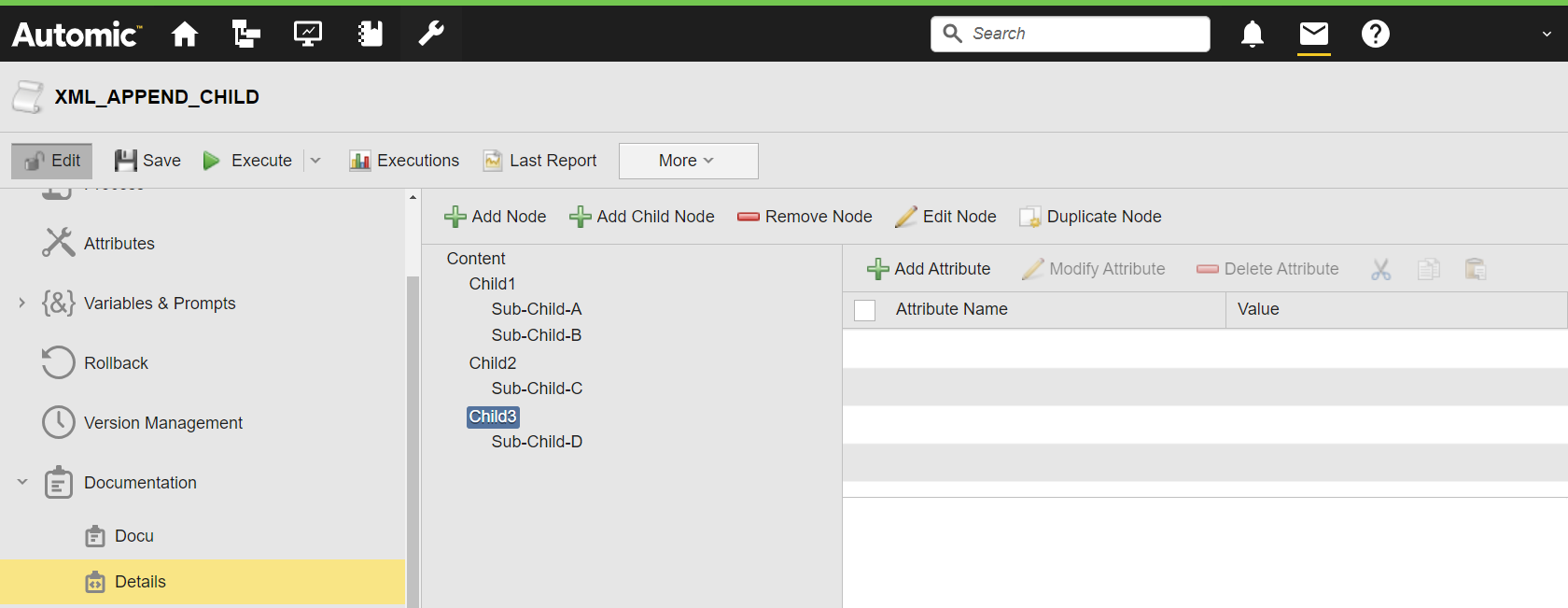
The following example opens the @Details structured Documentation page of the current object as an XML document, selects the Child3 element, and adds a new New_Child sub-element to it.
:SET &XMLDOCU#=XML_OPEN(DOCU,,"@Details")
:IF &XMLDOCU# <> ""
: SET &CHILD# = XML_SELECT_NODE(&XMLDOCU#,"Child3")
: SET &NEWCHILD# = XML_APPEND_CHILD(&CHILD#,"New_Child","Test")
: SET &ELEMENT# = XML_GET_FIRST_CHILD(&CHILD#)
: WHILE &ELEMENT# <> ""
: SET &NAME# = XML_GET_NODE_NAME(&ELEMENT#)
: P 'Element: &NAME#'
: SET &ELEMENT# = XML_GET_NEXTSIBLING(&ELEMENT#)
: ENDWHILE
:ENDIF
:XML_CLOSE &XMLDOCU#
The activation report shows all sub-elements of Child3, including the new New_Child element:
