XML_APPEND_CLONE
Use the XML_APPEND_CLONE script function to copy an element of the open XML document and add it to another element as a sub-element. The sub-element is always added as the last element. All subordinate elements and values are considered during the duplication process.
Important! The XML structure is modified in the memory only. You do not see the changes of XML_APPEND_CLONE on the structured documentation page.
Tip: Use the XML_OPEN script function to open the XML document. For more information, see XML_OPEN.
Syntax
XML_APPEND_CLONE (Reference element, Element)
Parameters
| Parameter | Description | Format |
|---|---|---|
| Reference element | Reference to the element to which the duplicated element should be attached. | Script literal or script variable |
| Element | Refers to the duplicated element. | Script literal or script variable |
Return Codes
This script function returns the reference to the duplicated element.
Examples
The following example opens the @Details structured documentation page of the own object as an XML document. The 'Sub-Child-C' element is copied and added to the 'Child3' element as a sub-element:
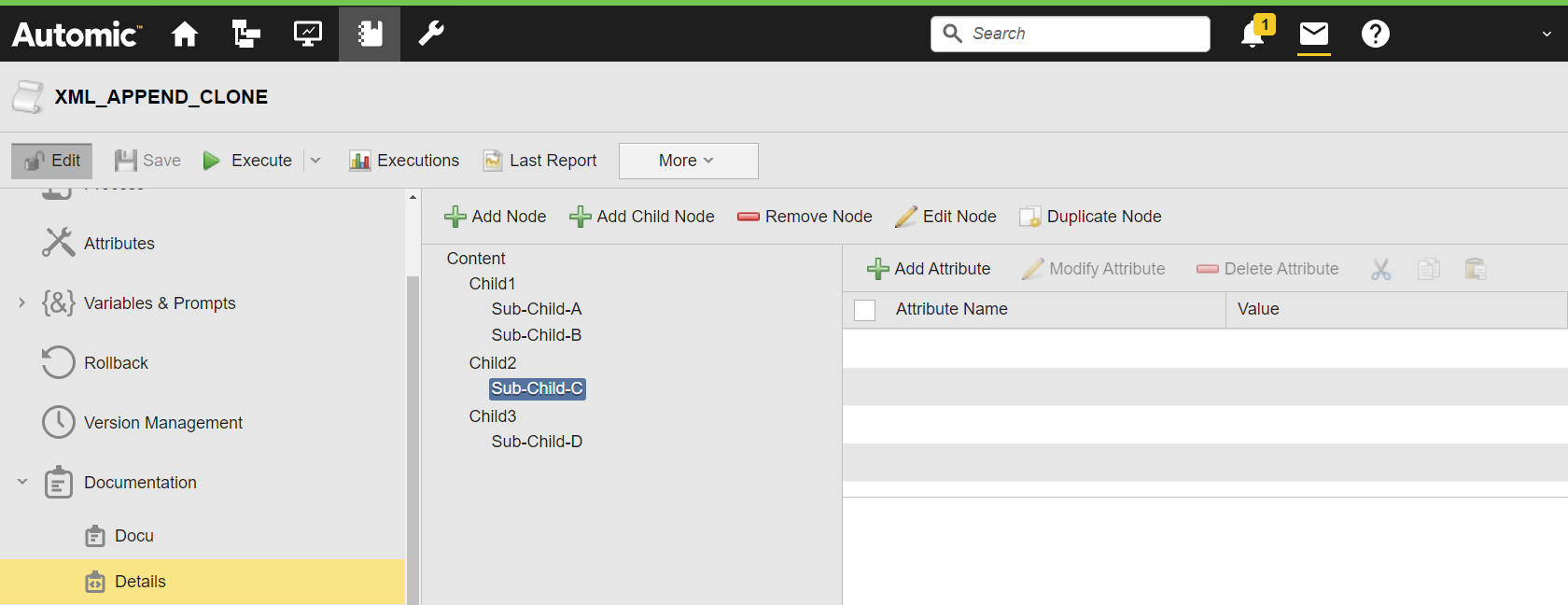
:SET &XMLDOCU#=XML_OPEN(DOCU,,"@Details")
:IF &XMLDOCU# <> ""
: SET &ELEMENT# = XML_SELECT_NODE(&XMLDOCU#,"Child2/Sub-Child-C")
: SET &CHILD# = XML_SELECT_NODE(&XMLDOCU#,"Child3")
: SET &CLONECHILD# = XML_APPEND_CLONE(&CHILD#,&ELEMENT#)
: SET &ELEMENT# = XML_GET_FIRST_CHILD(&CHILD#)
: WHILE &ELEMENT# <> ""
: SET &NAME# = XML_GET_NODE_NAME(&ELEMENT#)
: P 'Element: &NAME#'
: SET &ELEMENT# = XML_GET_NEXTSIBLING(&ELEMENT#)
: ENDWHILE
:ENDIF
:XML_CLOSE &XMLDOCU#
The activation report shows all sub-elements of 'Child3':
