XML_GET_ATTRIBUTE
Use the XML_GET_ATTRIBUTE script function to read an element's attribute value in an XML document. Structured documentation distinguishes between text and listing attribute types, both of which can be read with XML_GET_ATTRIBUTE. There is no limit to the returned value.
Syntax
XML_GET_ATTRIBUTE (Reference, @Attribute)
Parameters
| Parameter | Description | Format |
|---|---|---|
| Reference |
Reference to the element whose attribute value is to be determined. Tip: References or handles let you identify and edit a position within the XML document. You can use the following script functions to retrieve handles: XML_GET_FIRST_CHILD, XML_GET_NEXTSIBLING, and XML_SELECT_NODE. |
Script literal or script variable |
| @Attribute | Name of the attribute, preceded by the @ character. | Script literal or script variable |
Return Codes
This script function returns the contents of the attribute, or " " if the attribute has no value or the element has no attributes.
Examples
The following example retrieves the values of the two text-type attributes 'Name' and 'Title'.
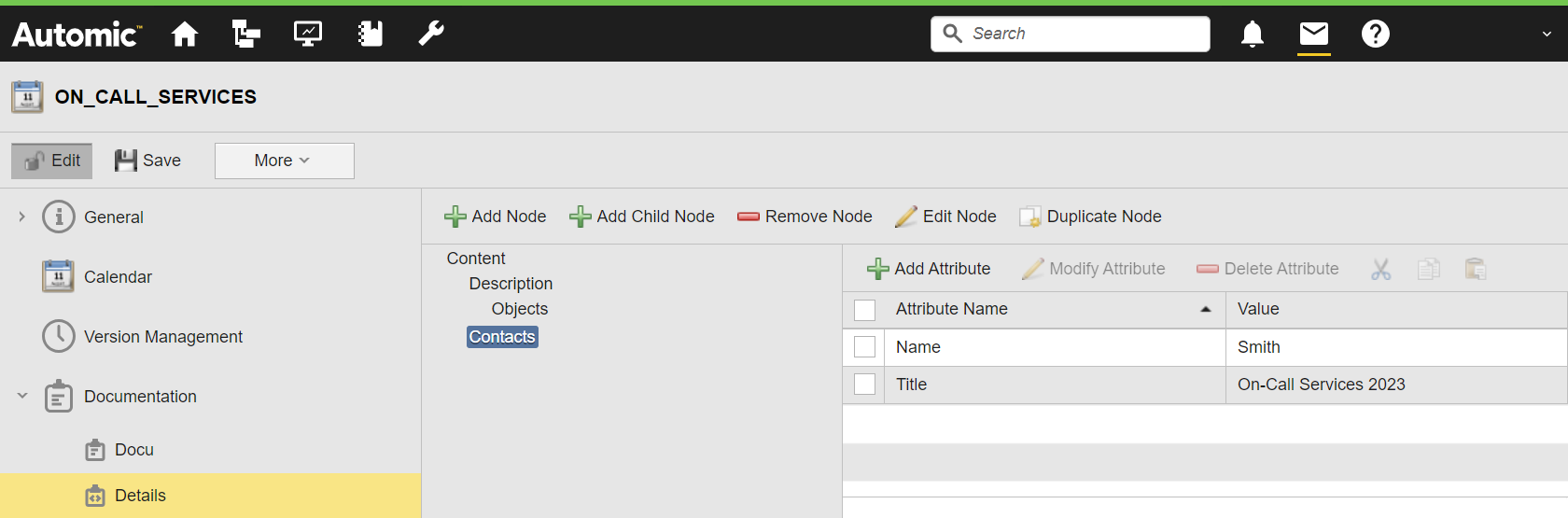
: SET &XMLDOCU# = XML_OPEN (DOCU, "ON_CALL_SERVICES", "@Details" )
: SET &HND# = XML_GET_FIRST_CHILD (&XMLDOCU# )
: SET &HND# = XML_GET_NEXTSIBLING (&HND# )
: SET &NAME# = XML_GET_ATTRIBUTE (&HND#, "@Name" )
: PRINT "attribute value: &NAME#"
: SET &TITLE# = XML_GET_ATTRIBUTE (&HND#, "@Title" )
: PRINT "attribute value: &TITLE#"
: XML_CLOSE
The activation report shows the attribute values of 'Name' and 'Title':
