Preparing for the Manual Installation
As a system administrator, there is a series of preparatory steps you must take before installing your system.
Tip! This section contains information relevant for manually installed systems. If you are searching for information relevant to container-based systems, see Preparing for the Container-Based Installation.
Notes:
-
Proper use of the Automation Engine requires at least two systems to be installed: a test and production system. For more information, see Test and Production Systems - Best Practices.
-
You must install CAPKI on all computers in which the Automation Engine, the ServiceManager and any of its clients will run. For more information, see CAPKI - Securing the ServiceManager and ServiceManager.
-
Do not use blank spaces when naming the directories for the Automation Engine and the Agents. For more information, see https://support.microsoft.com/en-us/help/102739/long-filenames-or-paths-with-spaces-require-quotation-marks.
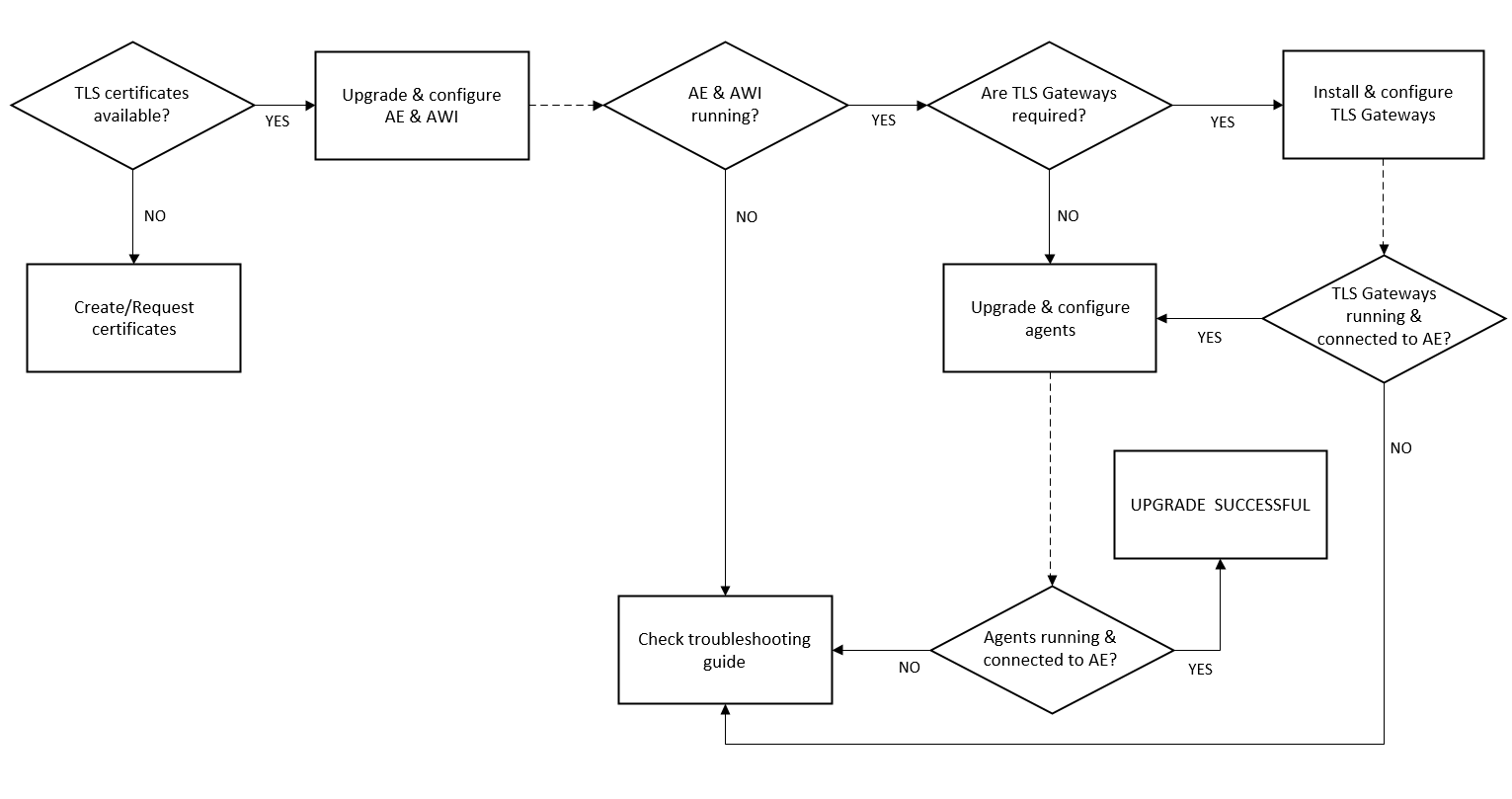
TLS/SSL Implementation Overview
The chart below depicts the process required for the TLS/SSL implementation and helps you understand not only the components involved but also the process itself.
Click the image to expand it.
Related topics:
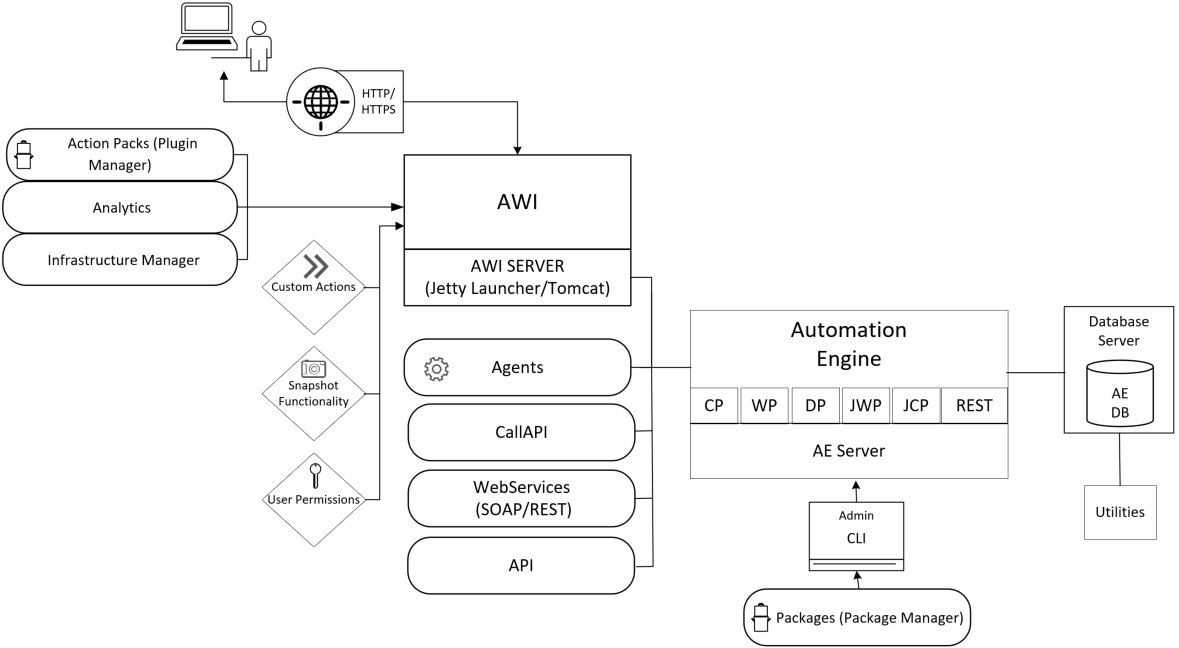
System Overview
Click the image to expand it.
Preparation Steps
- Downloading and Preparing the Installation Files
- TLS/SSL Certificate Considerations
- Preparing the AE Database
- Reviewing the AE and AWI Default Ports
- Reviewing the AE Agents Default Ports
- On-Premises: Preparing for the Automation.AI Installation
Next step:
Installing the Automation Engine (AE)
This section includes the following pages: