Modifying the Status of a Task Manually
This should be restricted to very few users. Manually changing the status of a task does not undergo any validation check. The new status is written directly to the database.
If your user definition contains the necessary privileges, you can change the current status of a task manually.
This option is not available either in client 0 or for dynamic jobs (JOBD).
To Change the Status of a Task Manually
- In the Process Monitoring perspective, select the task.
- Right-click and select Modify Status Manually.
-
The following dialog is displayed:
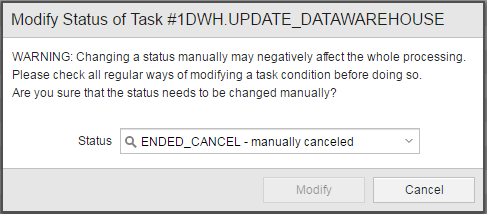
Please read the warning text carefully.
- From the Status dropdown list select the new status of the task.
- Click Modify.
Although every action is logged in the form of messages, reports and historical records (the various types of Execution lists), this audit information might not be enough later on if you need to understand why certain changes took place. To keep track and provide detailed information on your changes you can add comments to them. See Adding Comments to Tasks.