Example: Compare Values in SAP Spool Lists
SAP Spool lists show print jobs that have not yet been transferred to a device. The data needed for printing or output on a device is temporarily saved to an intermediate format until they will be called. The values for such spool requests in the respective lists may be compared by using SAP jobs.
Comparing Spool Request Values - Workflow
Create a workflow with three SAP Job objects: JOBS.SAP_ABAP.LIST1, JOBS.SAP_ABAP.LIST2 and JOBS.SAP_ABAP.COMPARE. The first two Jobs produce a spool list. The third Job compares the numbers of the spool list values.
When JOBS.SAP_ABAP.LIST1 and JOBS.SAP_ABAP.LIST2 finish, the values will be extracted from the spool lists and be passed toJOBS.SAP_ABAP.COMPARE.
The status of the workflow is set according to the comparison:
Numbers are equal ==> ENDED_OK
Numbers are unequal ==> ENDED_NOT_OK
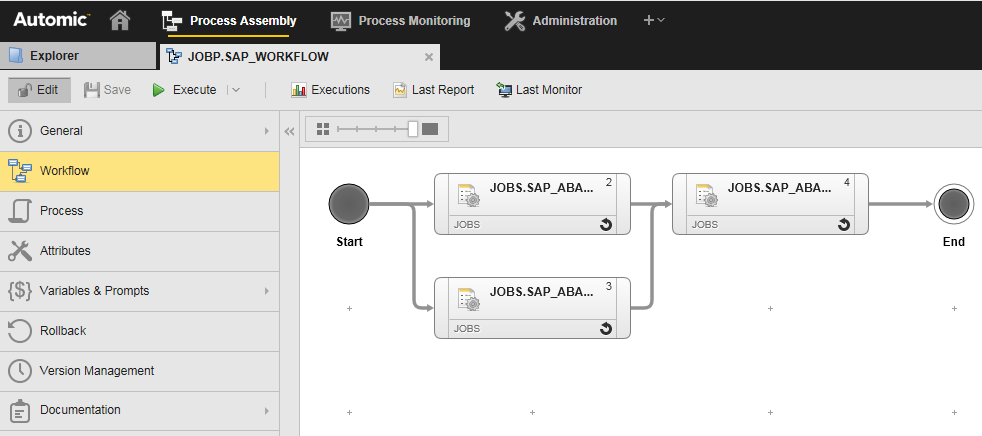
Transferring the Spool List Content to the Job Report
The script on the Process page of JOBS.SAP_ABAP.LIST1 is as follows:
R3 ACTIVATE_REPORT REPORT="Z_LIST_TEST"
R3_GET_JOB_SPOOL FILE="(REPORT,REP)"
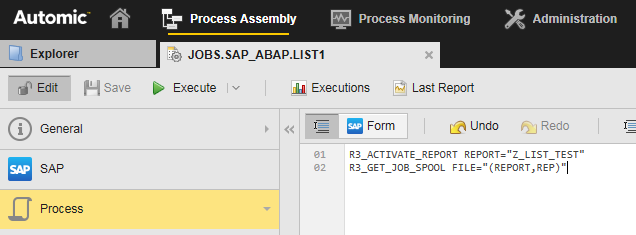
In the first step the program is executed and in the second step the content of the spool list is added to the report.
The report of this job looks like this:
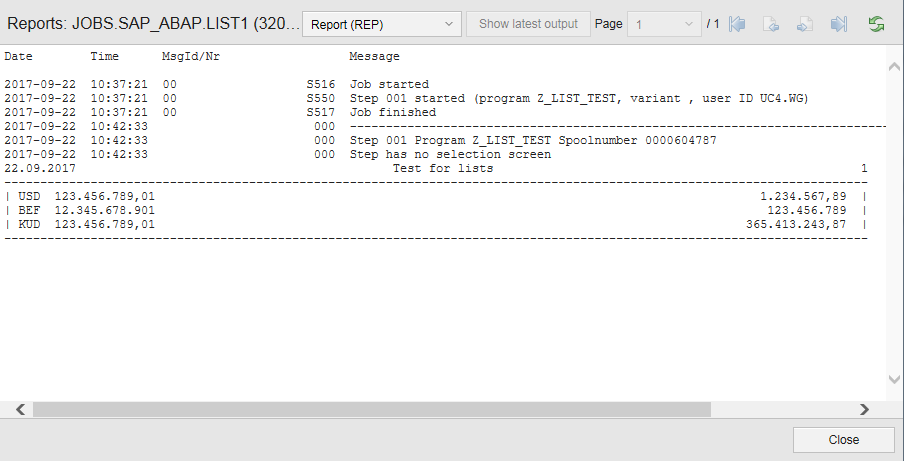
It contains the Job log from SAP followed by the spool list.
Extracting the Values from the Spool Lists
Job 1
To extract the value from the spool list, use the following Automation Engine Script on the Post Process page of the Job. Scripts on the Post Process page are executed after the Job has finished. It processes the report and extracts the values.
This is a sample script:
:set &HND* = PREP_PROCESS_REPORT("JOBS', ,"REP", "*|*")
:process &HNO#
:set &RET# = GET_PROCESS_LINE(&HND#)
:endprocess
:set &LEN* = STR_LNG(&RET#)
:SET &LEN* = &LEN# - 1
:SET &RET* = SUBSTR(&RET#, 1, &LEN*)
:SET &RET* = STR_TRIM(&RET*)
:SET &POS* = STR_FINO_REVERSE(&RET*, ' ')
:SET &POS* = &POS* + 1
:SET &RET* = SUBSTR(&RET#, &POS*)
:PSET &JOB1_SUMME# = &RET#
The PREP_PROCESS_REPORT function filters all rows which contain a "|" character.
This returns these values only:
| | USD 123.456.789,01 | 1.234.567,89 | |
| | BEF 12.345.678.901 | 123.456.789 | |
| | KUD 123.456.789,01 | 365.413.243,87 | |
- The last row then is stored in the &RET# variable
- STR_LNG is used to get the length of the row. The function SUBSTR is then used to remove the trailing "|" character. With STR_TRIM the trailing spaces are removed.
- The result is stored in the variable &RET# and is now:
| | KUD 123.456.789,01 | 365.413.243,87 |
- The STR_FIND_REVERSE function is used to get the position of the last space character in this row.
- Finally the function SUBSTR is used to get "365.413.243,87" and store it in the variable &RET#
With PSET the object variable &JOB1_SUMME# of the Workflow is updated.
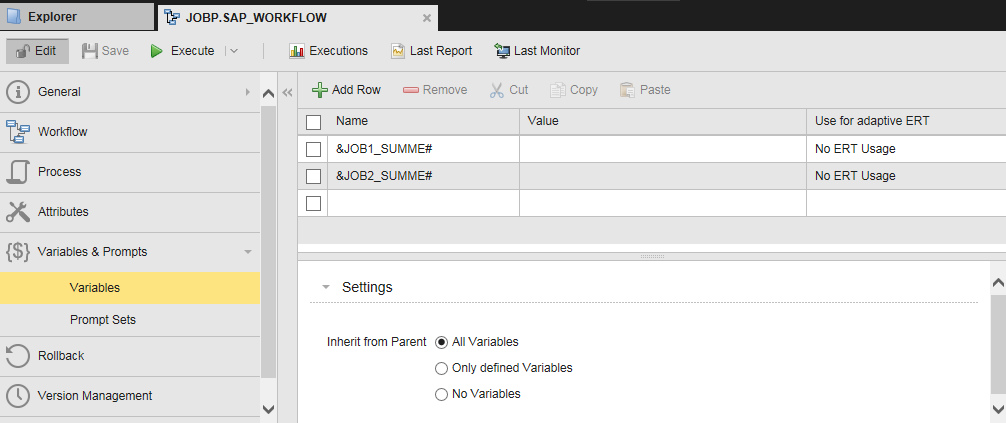
The Workflow also contains a second variable &JOB2_SUMME# which is set by the second SAP Job.
Job 2
The report of the second Job looks like this:
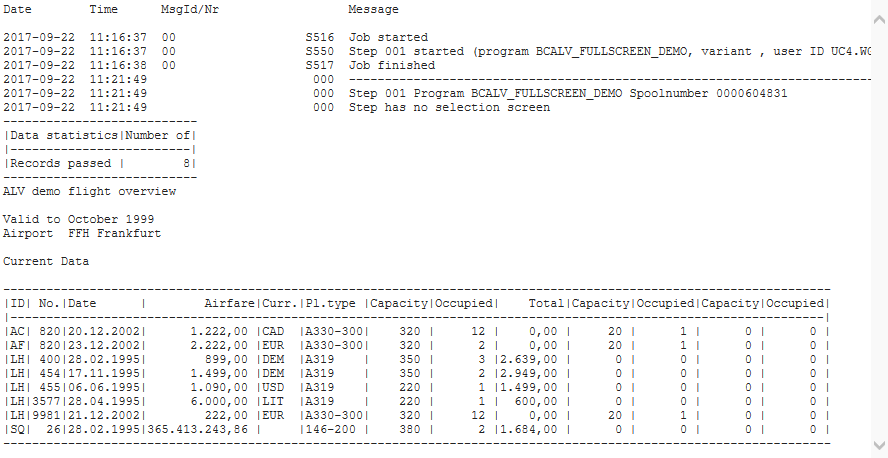
To extract the value from the spool list, use the following Automation Engine Script on the Post Process page of the Job:
:set &rowFilter# = 'SQ'
:set &column* = 5
:set &HND# = PREP_PROCESS_REPORT("JOBS", , "REP", "&rowFilter#*", "COL=DELIMITER", "DELINITER=1*|*))
:process &HND#
:set &RET# = GET_PROCESS_LINE(&HND#,&column#)
:endprocess
:set &RET* = STR_TRIM(&RET#)
:pset &JOB2_SUMME# = &ret#
This script filters for all rows containing the word "SQ". The result is one row:
|SQ| 26|28.02.1995|365.413.243,86 | |DC-10-10| 380 | 2 |1.684,00 | 0 | 0 | 0 | 0 |
The character "|" is defined as separator of columns. Therefore the value 5 (variable &column#) can be used directly to get 365.413.243,86 from the report.
STR_TRIM is used to remove spaces. The result is published as &JOB2_SUMME#
Comparing the Jobs
JOBS.SAP_ABAP.LIST1 and JOBS.SAP_ABAP.LIST2 must have finished before JOBS.SAP_ABAP.COMPARE can start. This third Job has access to the &JOB1_SUMME# and &JOB2_SUMME# variables .
Note: This Job has the setting Generate Task at: Runtime activated on the Attributes page.
In this example it starts an SAP program with parameters that depend on the result of the comparison.
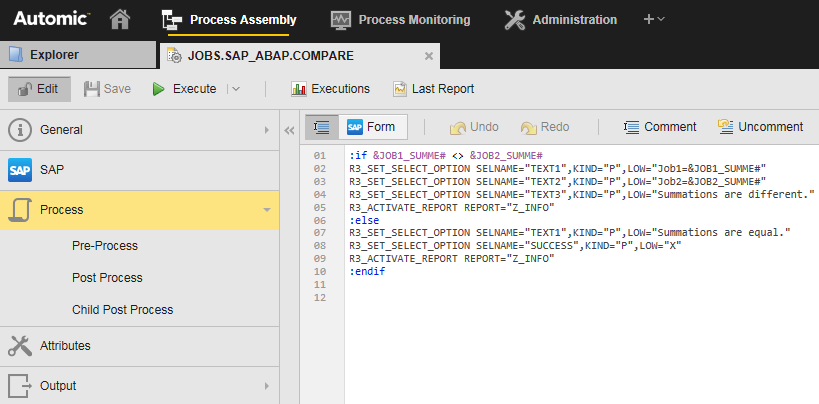
Sample scripting from the Process page is shown below.
:if &JOB1_SUMME# <> &JOB2_SUMME#
R3_SET_SELECT_OPTION SELNAME="TEXT1",KIND="P",LOW="Job1=&JOB1_SUMME#"
R3_SET_SELECT_OPTION SELNAME="TEXT2",KIND="P",LOW="Job2=&JOB2_SUMME#"
R3_SET_SELECT_OPTION SELNAME="TEXT3",KIND="P",LOW="Summations are different."
R3 ACTIVATE_REPORT REPORT="Z_INFO"
:else
R3_SET_SELECT_OPTION SELNAME="TEXT1",KIND="P",LOW="Summations are equal."
R3_SET_SELECT_OPTION SELNAME="SUCCESS",KIND="P",LOW="X"
R3_ACTIVATE_REPORT REPORT="Z_INFO"
:endif
The simple program Z_INFO uses MESSAGE of the I or type E depending on the SUCCESS parameter:
REPORT Z_INFO.
parameter text1 type string.
parameter text2 type string.
parameter text3 type string.
parameter success type c.
if success is initial.
MESSAGE I002(SY) WITH text1.
MESSAGE I002(SY) WITH text2.
MESSAGE E002(SY) WITH text3.
else.
MESSAGE I002(SY) WITH text1.
endif.
The Workflow can be set to ENDED_NOT_OK when the compare Job fails:
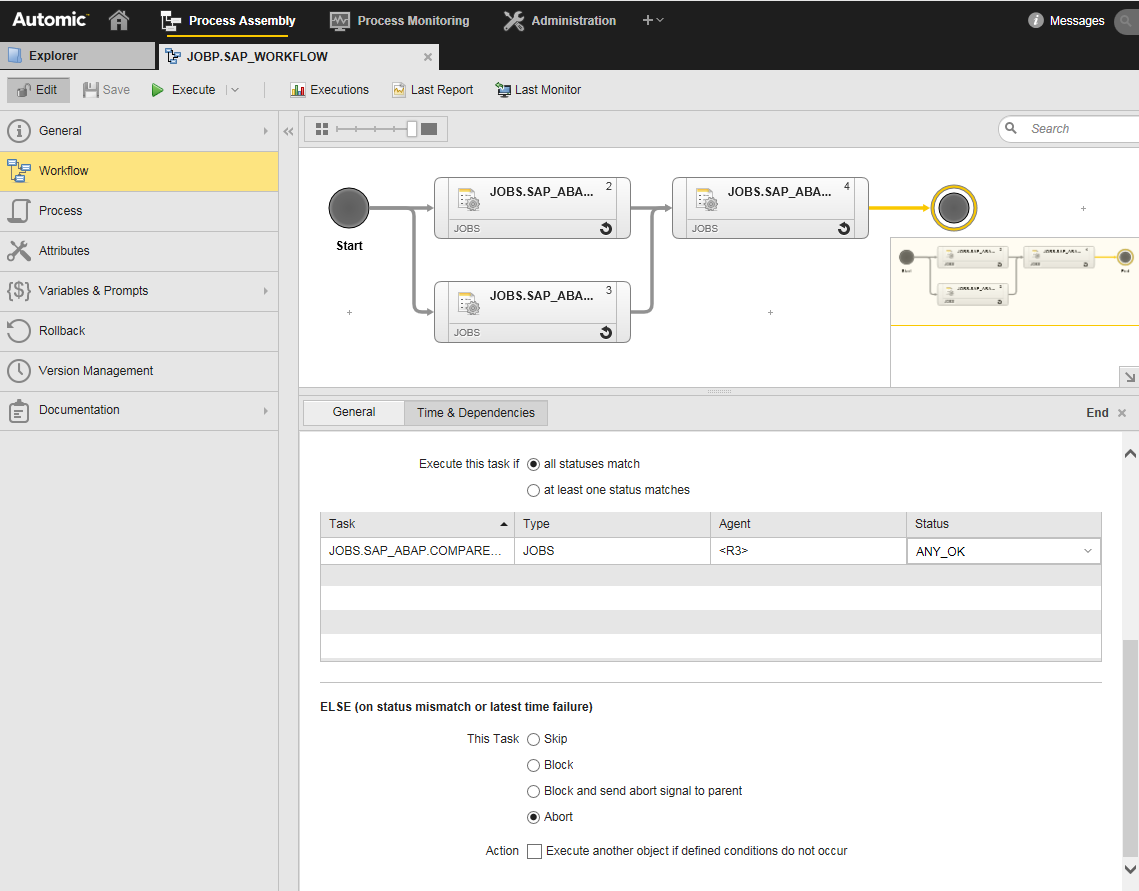
Comments
The special parameter value (REPORT,REP) for the FILE parameter in the R3_GET_JOB_SPOOL command is not documented, but exists since v9.
Normally the R3_GET_JOB_SPOOL command can only write files. However the SAP Agent cannot read them. An OS Agent would be required to extract the values with PREP_PROCESS_FILE and delete the old files when they are not needed anymore. This would also be a possible solution, but more complex than the one described here.