AE REST API
As a designer or an administrator, you can use the AE REST API to communicate with Automic Automation for AIOps using a technology-independent, state-of-the-art interface.
You can access the AE REST API and the documentation for the relevant endpoints and their required parameters using the following reference:
Tip: The API reference is written in Swagger (OpenApi). You can import the JSON descriptions into Postman to create a collection of requests. For more information, see: https://learning.getpostman.com/docs/postman/collections/working_with_openAPI/.
The REST requests and responses contain JSON structured data:
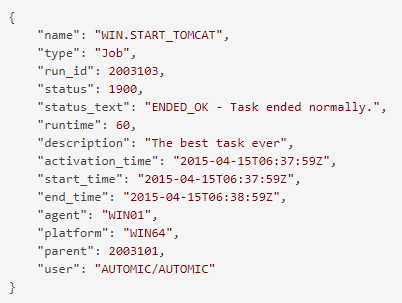
Optional properties with value null might be omitted in the response payload.
Health Check - Ping
The REST API provides a fast /ping request to be used by HTTPS proxies to ensure that the REST node is available. This health check does not provide any details on the required backend components.
Check if the AE REST API is available to send subsequent request.
Request: GET http://{host}:{port}/ae/api/v1/ping
Notes:
-
No client information needed in the URI
-
No AE credentials/basic authentication needed
Example: http://my-jcp-host:8088/ae/api/v1/ping
HTTP 200 Response: No payload.
The following topics describe the options available when using the AE REST API: